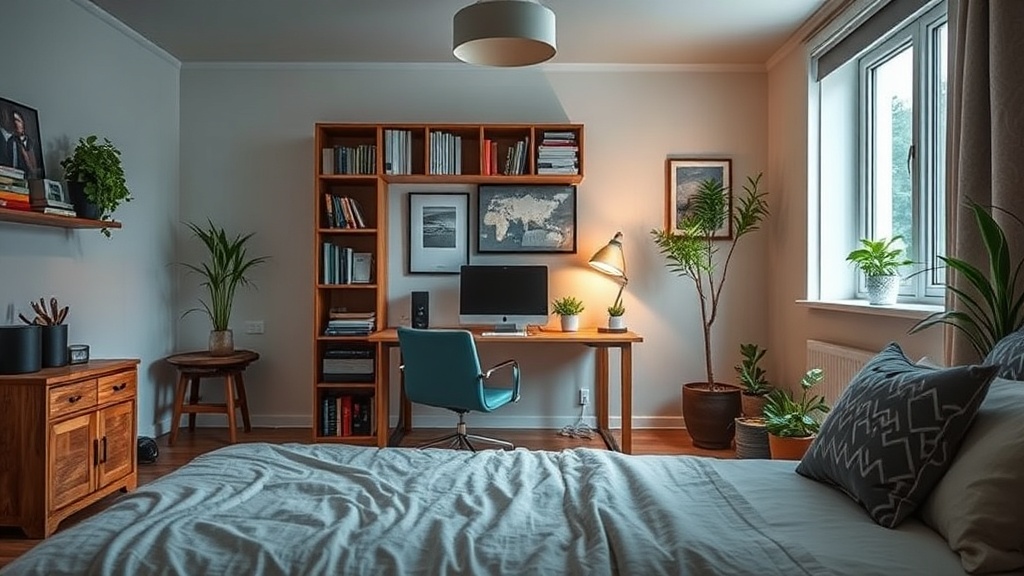
Setting Up a Functional Home Office in Small Guest Rooms

You walk into your guest room to find a spare pillow, but instead, you trip over a tangled web of charging cables, a stack of unanswered mail, and a chair that's half-buried under a pile of discarded notebooks. This isn't just a messy room; it's a failed attempt at a dual-purpose space. Converting a small guest room into a high-functioning home office requires more than just shoving a desk into a corner. It demands a strategy that respects both the hospitality of a guest room and the productivity requirements of a workspace. This guide explores how to balance these two conflicting needs without making your home feel like a cluttered cubicle.
Most people make the mistake of treating the office area as an afterthought. They buy a cheap, flimsy desk and hope it fits. That's a recipe for frustration. To make this work, you have to treat the room as two distinct zones that share a single footprint. You'll need to define where the "work" ends and the "rest" begins—whether through color, furniture placement, or even lighting.
Does a Small Guest Room Work as a Home Office?
The short answer is yes, but only if you plan for the transition. A room that serves two masters needs clear boundaries. If you leave your laptop and half-empty coffee mugs out on the desk when a guest arrives, the room feels cluttered and uninviting. If you don't have a proper desk, you'll end up working from the bed, which is terrible for your back and your focus.
To prevent this, consider the "clutter boundary." Use a desk with closed cabinetry or a drawer system. When guests arrive, you can tuck your monitor, keyboard, and pens away, effectively hiding the office. This keeps the room feeling like a cozy bedroom rather than a stressful workstation. You might even consider a small secretary desk—the kind with a fold-down front—which allows you to hide your work entirely at the end of the day.
When selecting furniture, look at the dimensions of your room first. A large executive desk will swallow a small guest room, leaving no space for a bed or even a walkway. Instead, look for slim-profile desks or even a wall-mounted floating desk. These options keep the floor visible, which makes the room feel larger and less cramped. Check out the Architectural Digest for various layout inspirations that work well in compact residential spaces.
How Can I Organize Cables in a Small Space?
Nothing ruins the aesthetic of a beautifully decorated guest room faster than a "spaghetti nest" of wires hanging from under a desk. In a multi-purpose room, visible cables scream "unorganized office." You need to manage your cords with intention.
- Cable Management Boxes: These are simple plastic or wooden boxes that sit on the floor or desk, hiding power strips and bulky adapters.
- Cable Sleeves: If you have a desk with a computer, a cord sleeve can bundle the power and data cables into one neat tube.
- Under-Desk Trays: Mount a metal tray to the underside of your desk to keep your power strip off the floor.
- Wireless Peripherals: Whenever possible, use a wireless mouse and keyboard to reduce the number of physical connections.
If you're working with a very tight corner, a cable management tray is your best friend. It keeps the floor clear, which is important for vacuuming and keeping the room looking polished for guests. You can find great ideas for cord organization on sites like The Spruce, which often features clever ways to hide tech-clutter in residential settings.
What Is the Best Way to Combine a Desk and a Bed?
The tension between a workspace and a sleeping area is real. You don't want to feel like you're sleeping in an office, and you don't want to feel like you're working in a bedroom. The key is visual separation. If the room is tiny, you might not have space for a divider, so you have to use design elements to create a mental shift.
One effective method is the use of area rugs. A rug under the bed defines the sleeping zone, while a different floor texture or a small, distinct mat under the desk can signal the work zone. Lighting is another powerful tool. A warm, soft lamp by the bed creates a relaxing environment, while a bright, focused task light at the desk keeps you alert. When it's time to wind down, turn off the desk light and dim the bedside lamp. This physical action helps your brain transition from "work mode" to "rest mode."
| Feature | Office Focus | Guest Room Focus |
|---|---|---|
| Lighting | Bright Task Light | Warm Ambient Lamp |
| Storage | Closed Drawers/Bins | Open Shelving/Decorative |
| Color Palette | Neutral/Focus-driven | Warm/Inviting |
| Furniture | Ergonomic Chair | Comfortable Bed/Linens |
Don't forget about the chair. A high-back ergonomic office chair can look quite jarring next to a soft, upholstered headboard. If you want the room to remain inviting, look for a "lifestyle" chair—something that looks like a stylish dining or accent chair but offers enough support for a few hours of work. This keeps the room's aesthetic cohesive while still providing the function you need.
<Is There a Way to Hide My Office When Guests Visit?
The ultimate goal for a dual-purpose room is seamlessness. When you aren't working, the office should almost disappear. This is where vertical storage and clever furniture choices come into play. A tall bookshelf can act as a room divider, separating the bed from the desk, but it can also serve as a way to hide office supplies behind decorative baskets.
If you use a laptop, a dedicated docking station is a great investment. It allows you to plug in one or two cables and have all your peripherals ready to go, but it also means you can pack the laptop away into a drawer easily. A dedicated storage bin for your tech supplies—one that looks like a piece of decor—can also help. Instead of a plastic bin, use a beautiful wooden box or a linen-covered basket to store your charger, notebook, and pens. This keeps the desk surface clear and ensures that when a guest enters, they see a curated room rather than a work-in-progress.